
Visitors understand the offer faster
The site separates websites, ecommerce and custom systems so a business owner can quickly recognise the route that fits them, instead of reading one vague service page.
Welcome to MHA Developers
Internal product build
The MHA Developers website was built as a complete sales and operations layer: public service pages, pricing, booking, live chat, analytics and a CMS-backed workflow for managing enquiries after they arrive.
MHA Developers
Operations OS
Inbox
Visitor messages
Bookings
Requests and follow-up
Leads
Pipeline activity
Website flow
Purpose
Turn website interest into structured operational work the team can respond to and track.
Project overview
The public website explains what MHA builds, presents pricing clearly and routes visitors toward booking, contact or live chat depending on how they want to start.
Behind the website, the Operations OS helps manage the commercial workflow: conversations, booking requests, AI prospects, leads, follow-ups and notifications.
The site separates websites, ecommerce and custom systems so a business owner can quickly recognise the route that fits them, instead of reading one vague service page.
Pricing, booking, contact and live chat routes guide visitors before they reach out. That means the first conversation can start with budget, scope and intent already clearer.
Website interest is connected to an inbox, booking workflow, prospect review queue and lead pipeline, so the work after an enquiry is easier to manage.
MHA uses the same style of operational system it sells: a website that is not just a brochure, but a front end for daily commercial work.
Project type
Internal product build
Focus
Website, enquiries, bookings and operations
Stack outcome
Public website connected to managed workflows
Use case
Proof of the systems MHA builds for clients
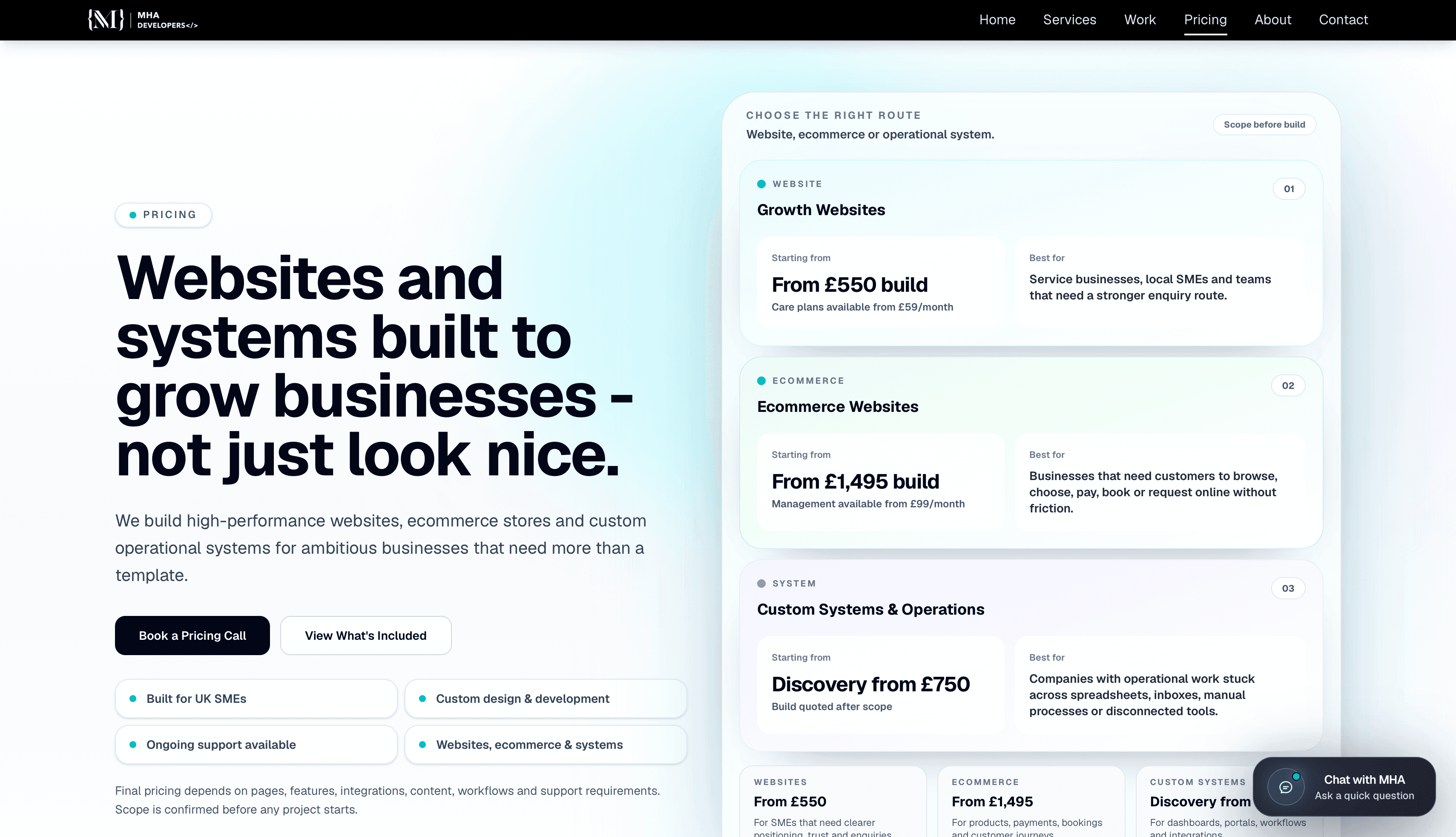
Public website
The website is structured around service clarity, pricing confidence, selected work and conversion routes. The goal is to help visitors understand what MHA can build and choose the right next action.
Why this matters for a customer
A service business often loses good enquiries when visitors cannot tell what is offered, what kind of budget is realistic, or how to start. This page structure is designed to answer those questions before the first call.
Customer journey
Each route has a job. The site should explain the offer, show proof, set expectations and then move the visitor into a trackable workflow.
Understand
The top-level pages explain the main offer in plain language: growth websites, ecommerce stores and custom operational systems. This helps visitors place themselves before they ask for help.
Compare
The pricing page gives starting points and best-fit use cases. It does not pretend every project is the same, but it gives enough structure for a serious buyer to know where they belong.
Act
A visitor can book a call, use live chat, open the contact route or move from portfolio proof into a project conversation. The aim is to reduce drop-off when someone is ready to act.
Manage
Once a visitor takes action, the CMS helps track the conversation, booking, prospect or lead. This is the difference between a nice-looking website and a website that supports operations.
System sections
Website architecture
The website gives visitors a clear path through services, pricing, selected work, booking and contact routes. Each section is designed to reduce uncertainty before a visitor speaks to the team, so the site can qualify interest instead of only presenting information.
Live chat and messages
The live chat experience is connected to the CMS inbox so website conversations can be read, replied to, tracked and followed up without relying on scattered messages. This gives the team a proper chat-app workflow for website enquiries.
Bookings and follow-up
The booking journey is designed to collect useful context, route requests into the CMS and support follow-up actions after the first enquiry. This reduces the chance of calls, reminders and next steps being handled manually or forgotten.
Operations OS
Behind the public website sits the Operations OS: a working admin app for managing daily commercial activity across inbox, bookings, prospects and leads. It shows how a website can become part of the business process rather than a separate marketing asset.
Operations OS screens
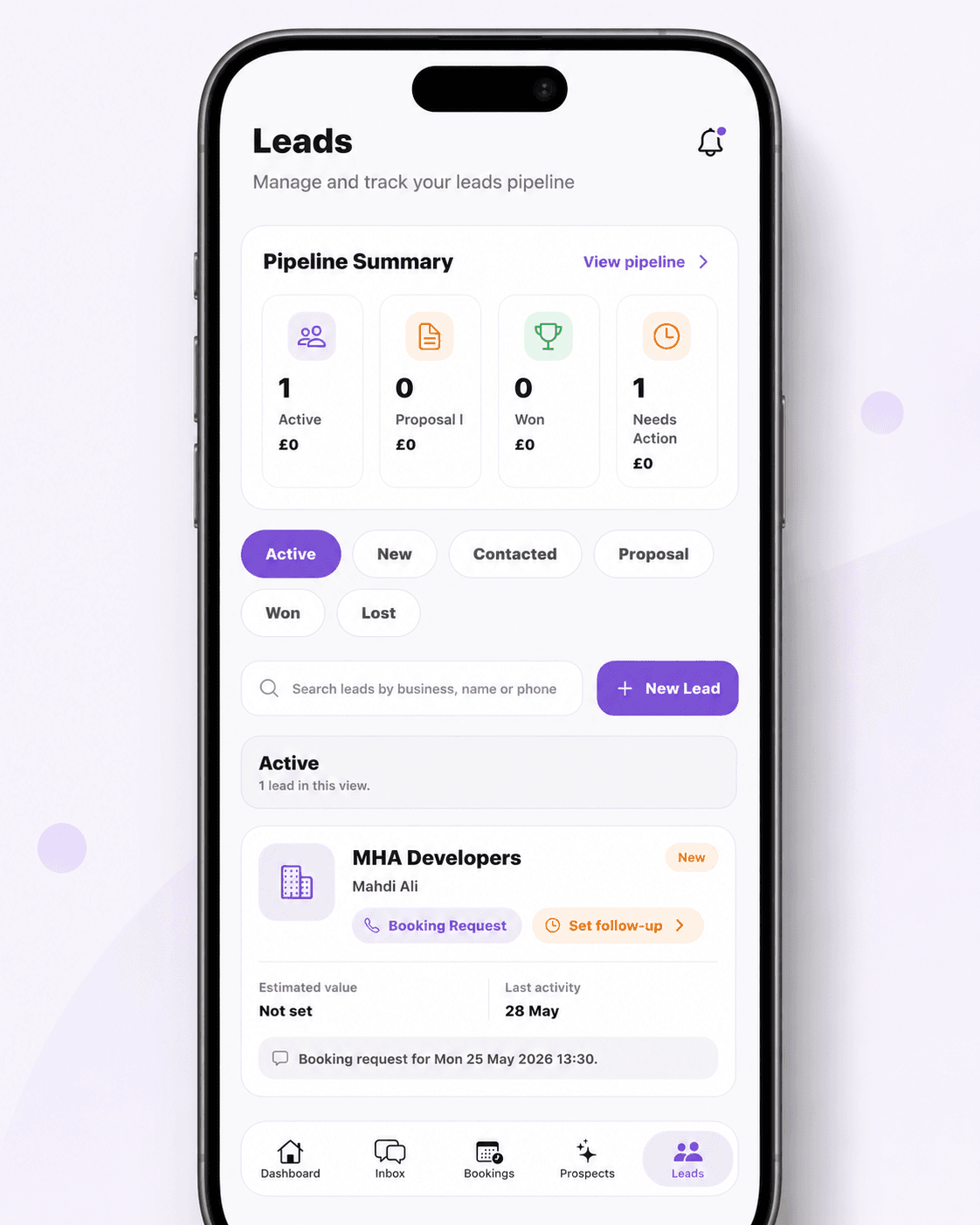
These screens show the operational layer behind the website: dashboard priorities, bookings, AI prospects and lead pipeline management.
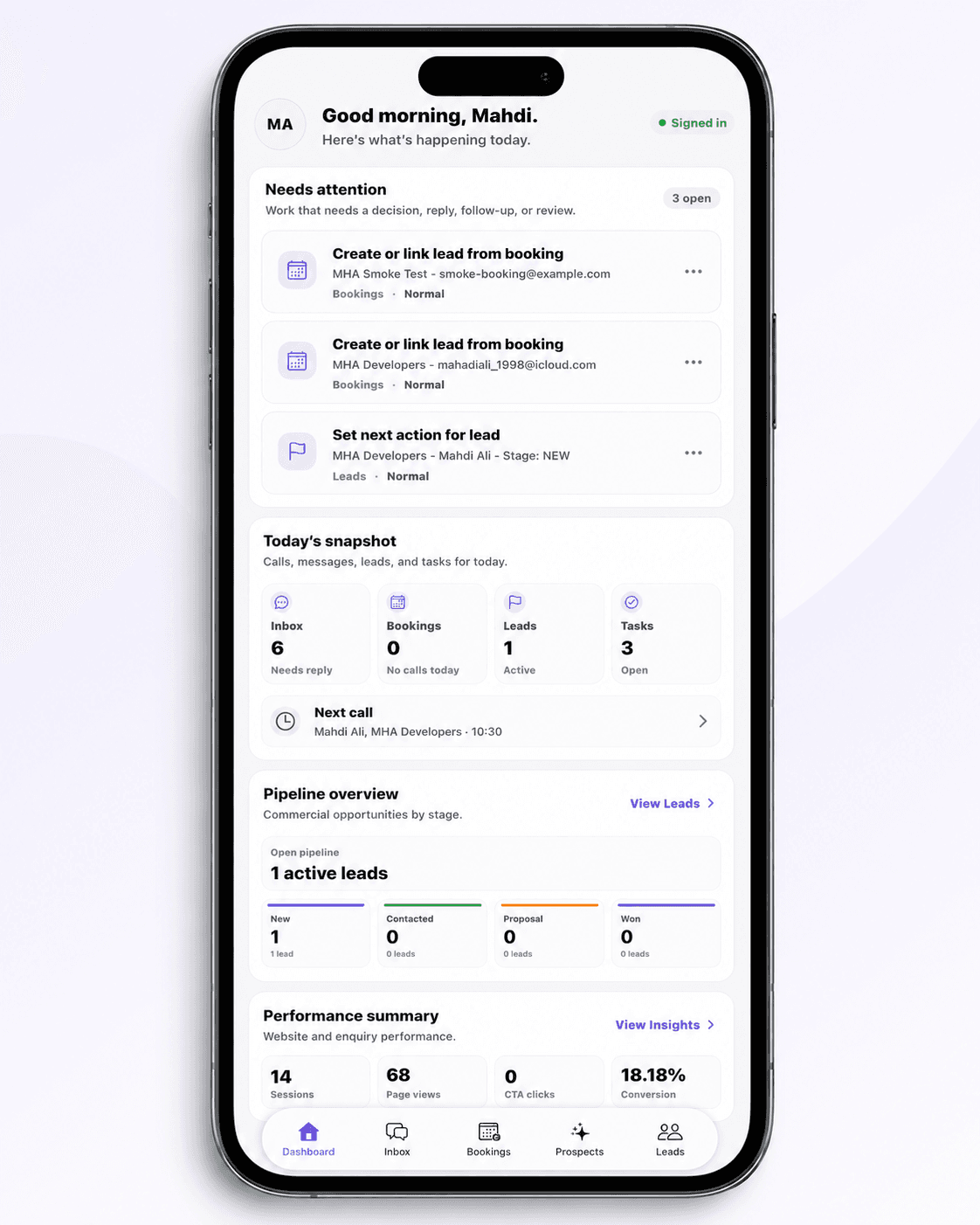
Operations OS
The dashboard is the daily control view. It surfaces items that need a decision, reply, follow-up or review before they get buried.
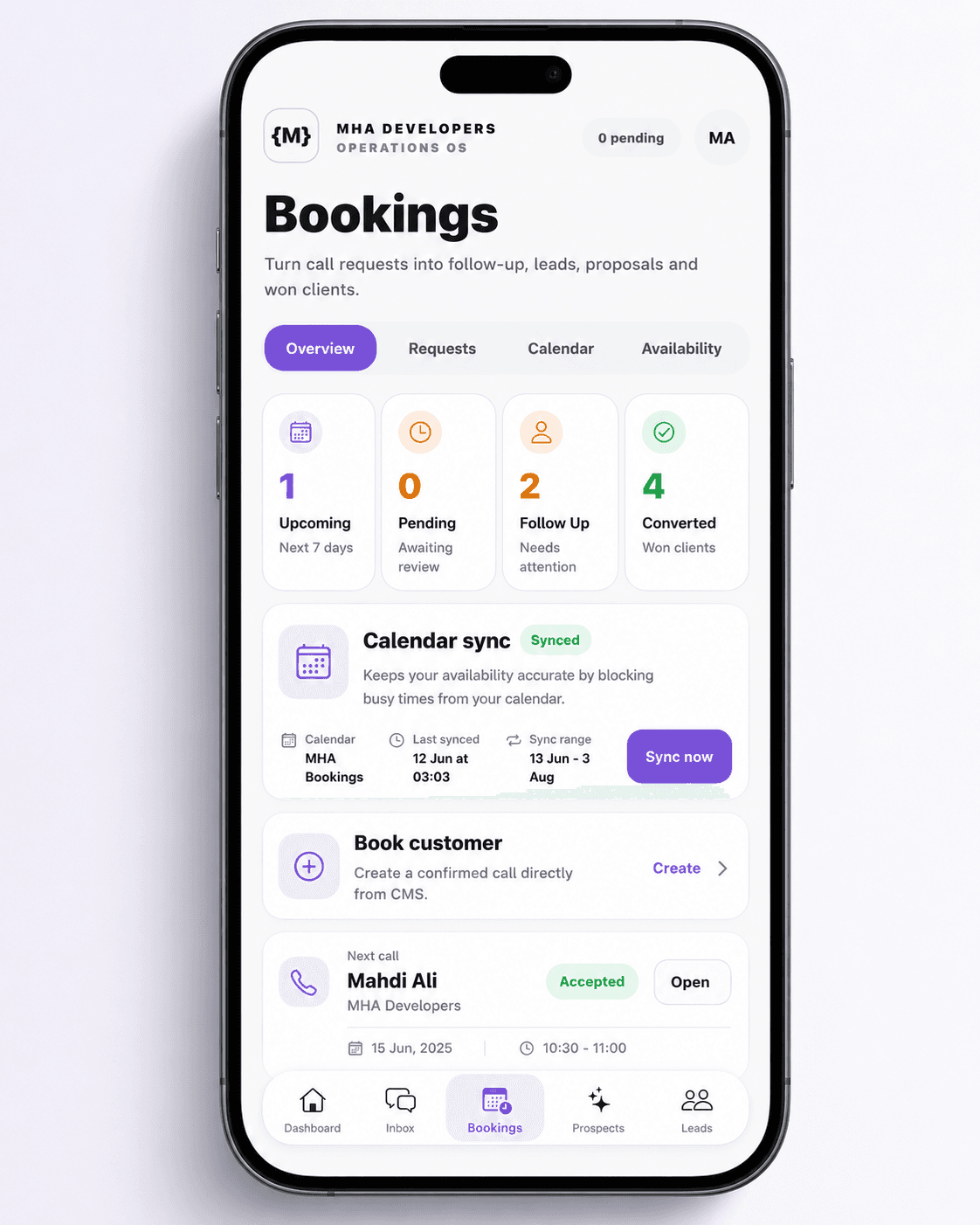
Operations OS
Bookings turn call requests into managed work. The team can see what is pending, sync calendar availability and create confirmed customer calls from the CMS.
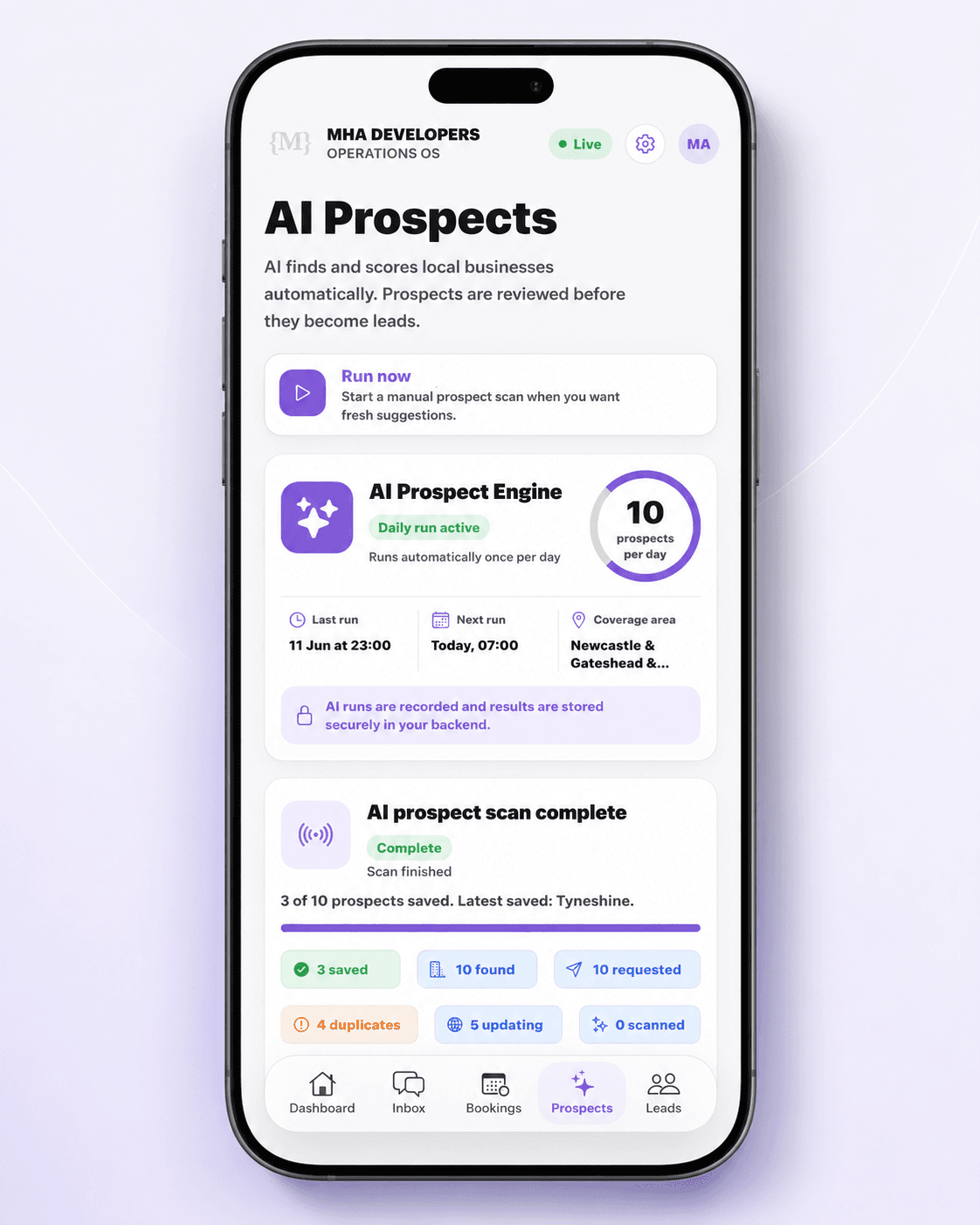
Operations OS
AI Prospects helps discover local businesses and review them before they become real leads. The scan progress is visible so the team can see what was found, skipped, scored and saved.
Operations OS
Leads is where commercial opportunities are tracked after they become worth following up. The view keeps stage, value, activity and next action close together.
Operations value
The important part is what happens after a visitor takes action. The CMS gives the team a place to manage the work created by enquiries, bookings, chats, prospects and leads.
Build something similar
Tell us what you need customers to do, and what your team needs to manage after they do it.